CalcHub
Native Mac ten-key tape calculator
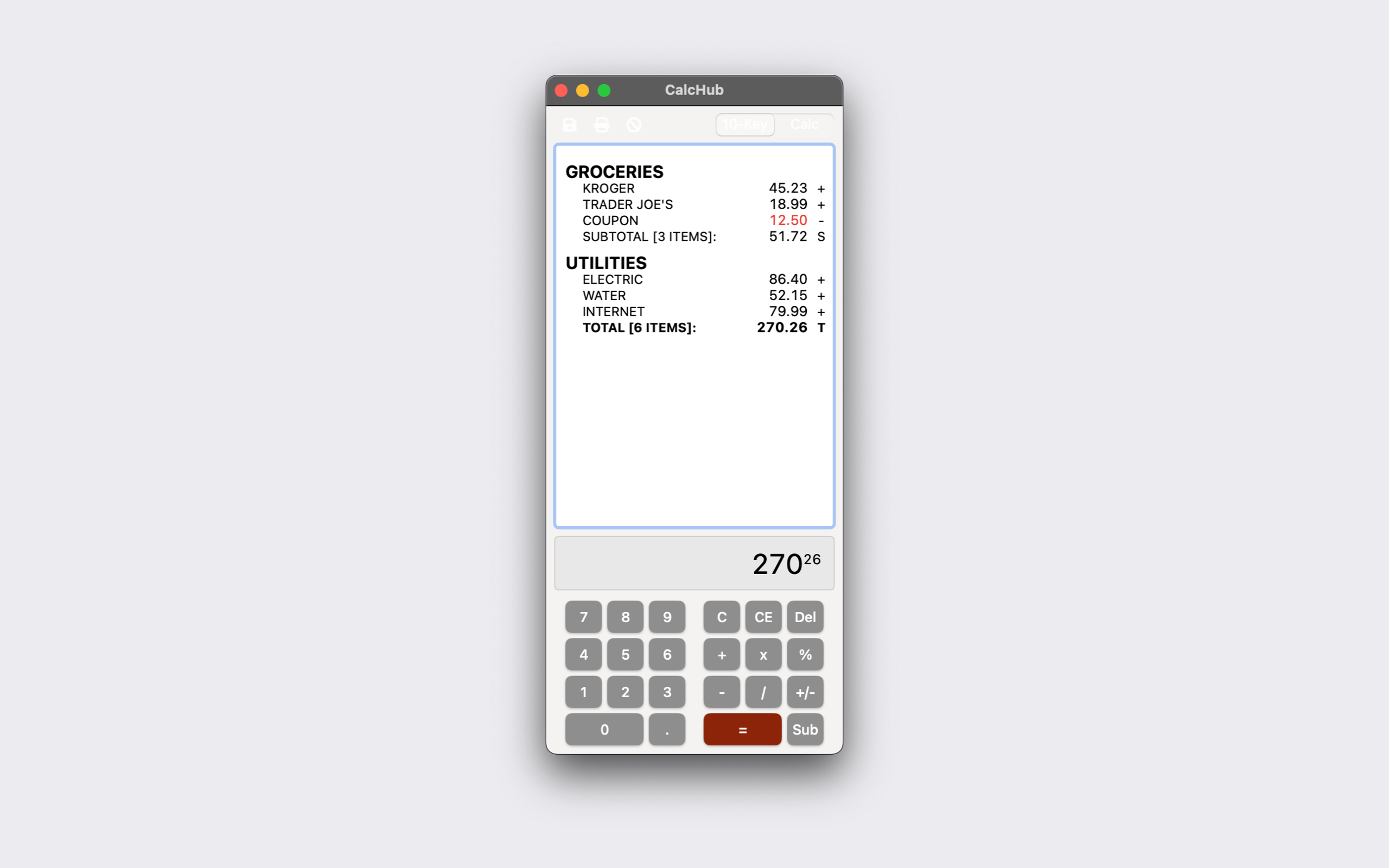
CalcHub is an adding machine for the Mac. Every amount you key in lands on a running tape with its sign in the operator column, so you can read back a column of figures, see where a mistake crept in, and print or save the whole thing when you are done. It replaces TapeCalc, the Classic-era tape calculator used here for years, and keeps its layout, keystrokes, and printout.
The main workflow is 10-key entry: type the digits, press + or - to post the amount, Enter or = to take a total, S for a subtotal. The implied decimal is on by default, so 4523 + posts 45.23. Pressing + again with no new entry repeats the last amount, and + right after a total carries that total into the next section. A second preset, Calc, switches to ordinary calculator behavior with its own decimal setting; Cmd+T toggles between them.
Other things it does:
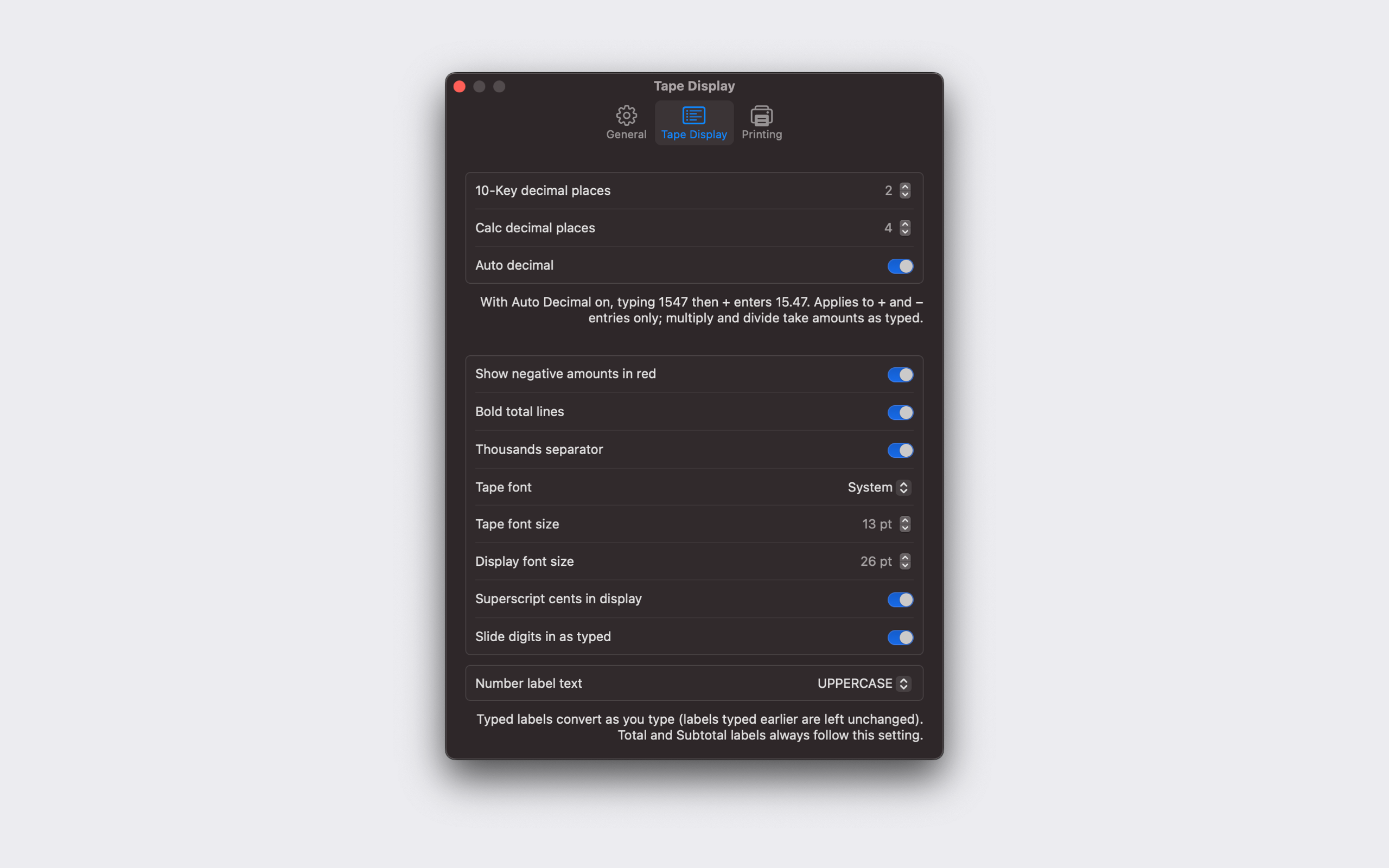
- Descriptions: click any row or press Cmd+D to label the last item. Labels can be left as typed or converted to Title Case or UPPERCASE as you type.
- Headers and subheaders (Cmd+Shift+H, Cmd+Shift+J, or a row’s context menu) group items into an outline, with the rows beneath them indented on screen, in print, and in the saved text file.
- Paste or drag a column of numbers onto the tape and each line posts as an item, with leading text used as the description and a total taken at the end. A saved tape pastes back in and re-sums.
- Save the tape as aligned plain text (Cmd+S) or print it (Cmd+P). The printout has column headers, a page footer with date and page count, decimal-aligned amounts, and a choice of monospaced fonts.
- Settings cover the keypad, always on top, copy-to-clipboard on total, decimal places per preset, red negatives, bold totals, thousands separators, tape and display fonts, and superscript cents in the display.
All math runs in Decimal, so cents stay exact, and the engine is covered by unit tests that replay the acceptance tapes from the original TapeCalc.